Ultimate Guide to Building a High-Scale n8n Social Media Scheduler for Agencies
Learn how to engineer a professional-grade social media engine using n8n. This guide covers everything from AI-driven caption optimization to multi-platform routing, helping agencies automate content distribution and recover 20+ billable hours weekly.
 Amplivus·April 1, 2026·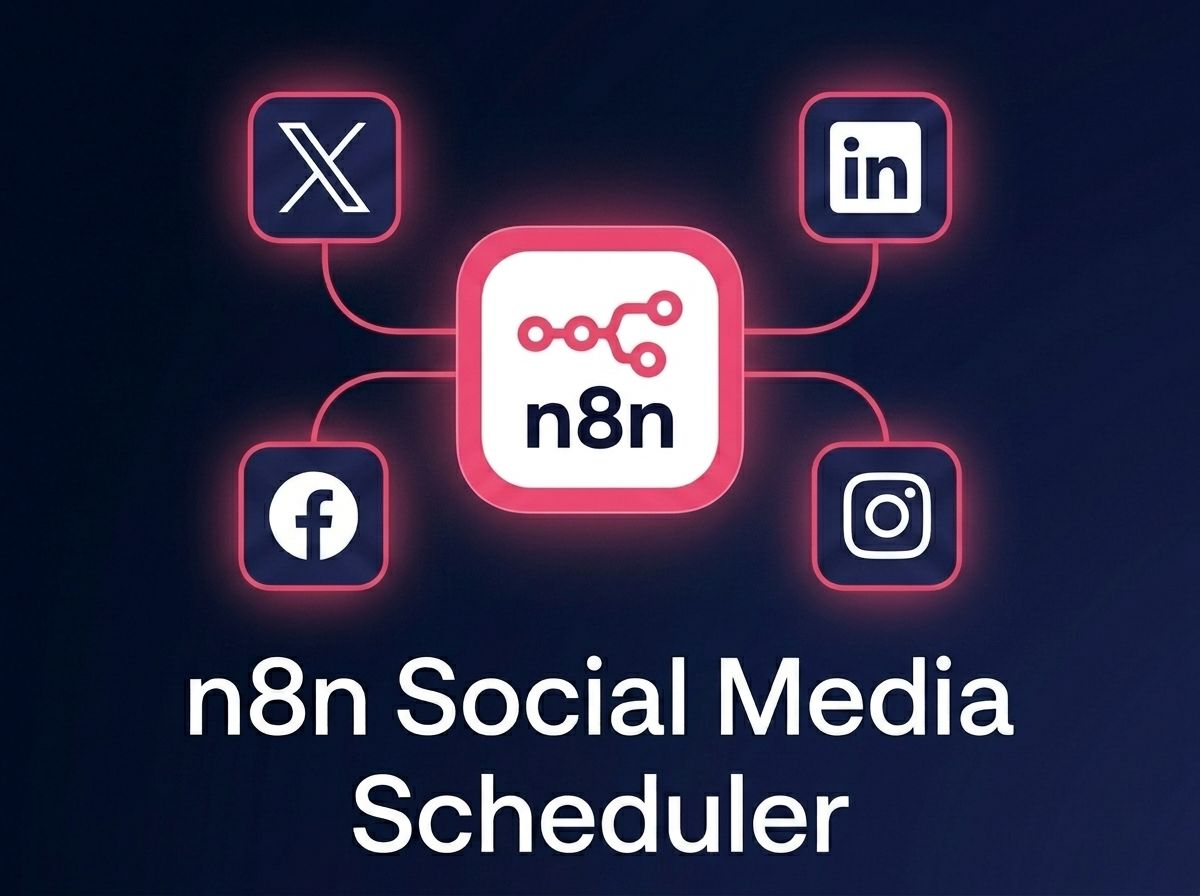
Introduction
In the fast-paced agency world, managing social media schedules for dozens of clients is a massive logistical hurdle. Content often gets stuck in approval loops, brand voices become inconsistent across different networks, and manual posting eats up hours of expensive team time.
As experts in n8n agency solutions, we have designed a blueprint to fix this. This guide will show you how to architect a production-ready n8n workflow automation engine. This isn't just a simple post-bot; it is an intelligent system that pulls content from a central database (like Notion or Airtable), optimizes captions using AI agent development, manages image formatting, and updates your records with live URLs.
What You Will Build
This automated engine operates on a polling architecture combined with smart conditional routing. By the end of this tutorial, you will have a system that achieves the following business outcomes:
- Zero Manual Entry: Eliminate copying and pasting between calendars and social tools.
- AI Contextualization: Automatically tailor tone and length for LinkedIn, X (Twitter), and Facebook.
- Error-Free Approvals: Only process content explicitly marked as "Approved" by account managers.
- Scalable Growth: Manage 10 or 100 clients with the same infrastructure and no extra software costs.
Technical Specifications
| Feature | Requirement |
|---|---|
| Difficulty Level | Intermediate to Advanced |
| Time to Complete | Approximately 3.5 Hours |
| n8n Tier | Pro (Cloud) or Self-Hosted |
| Core Integrations | Notion, OpenAI (GPT-4o), LinkedIn, X/Twitter, Slack |
Step-by-Step Implementation
Step 1: The Polling Engine and Database Query
The heart of your AI workflow automation is a cron-style trigger. Instead of relying on manual webhooks, we set up a "Schedule Trigger" node to run every 15 minutes. This node pairs with a Notion "Search Page" node to hunt for content that is ready to go.
In the Notion node, configure these specific filters:
- Status: Must equal "Approved".
- Publish Date: Must be "On or before" the current time using the expression
{{ $now.toISO() }}.
Step 2: Processing Media Assets
Social networks require actual file data, not just a link to a cloud drive. Since Notion uses expiring AWS URLs, we must download the image into n8n’s memory. Use an HTTP Request node set to the "GET" method and change the "Response Format" to "File". We recommend naming this property social_media_asset for easy mapping later.
Step 3: AI-Driven Caption Optimization
Generic captions perform poorly. We use an OpenAI node (GPT-4o) to adapt the base text into platform-native formats while keeping the brand voice intact. This is a primary use case for advanced n8n integration services.
The Prompt Strategy:
- LinkedIn: Focus on business value, use professional hashtags, and include a call to action.
- X (Twitter): Stay under 280 characters with a punchy hook and minimal emojis.
Pro Tip: Set the Response Format in the OpenAI node to "JSON Object" to ensure the output is clean and ready for the next nodes to read.
Step 4: Platform Routing and Publishing
Using a Switch Node, we create rules that read the "Target Platform" selection from your database. If the user selected both LinkedIn and Twitter, the workflow will branch out to both API nodes simultaneously.
For the LinkedIn node, map the AI-generated caption and the binary image data. For X, use the Twitter v2 API node. This parallel execution ensures high speed even with multiple destinations.
Step 5: Closing the Loop
To prevent the system from posting the same content twice, the final node must be a Notion Update node. Change the status to "Published" and inject the live post URL back into the record. This creates a transparent audit trail for your agency team.
Production Deployment Checklist
Before turning this live for clients, run through these essential safeguards:
- Credential Audit: Store all API keys in the encrypted vault, never in the node settings.
- Error Workflow: Attach an "Error Trigger" node that sends a Slack alert if a post fails due to an expired token or platform downtime.
- Timezone Sync: Ensure your n8n server timezone matches your agency’s operational hours to avoid scheduling confusion.
Scaling Your Agency with n8n
As you scale from 10 to 50 clients, polling 50 different databases is inefficient. Implement a Master Database Strategy where all client content flows into one hub. Use a "Client ID" to dynamically route credentials. If you find these multi-system architectures daunting, engaging an expert n8n automation agency for custom development ensures enterprise-grade reliability.
Key Takeaways at a Glance
- Automation Engine: Use a 15-minute polling trigger for reliable, scheduled posting.
- AI Optimization: Leverage GPT-4o to rewrite one base caption into platform-specific formats automatically.
- Binary Data: Always download media via HTTP nodes to ensure compatibility with social APIs.
- Closed-Loop Reporting: Sync live URLs back to Notion to eliminate manual verification.
- Error Handling: Implement retry logic and Slack alerts to maintain "zero-down clouds" for client accounts.